Detailed Case Breakdown
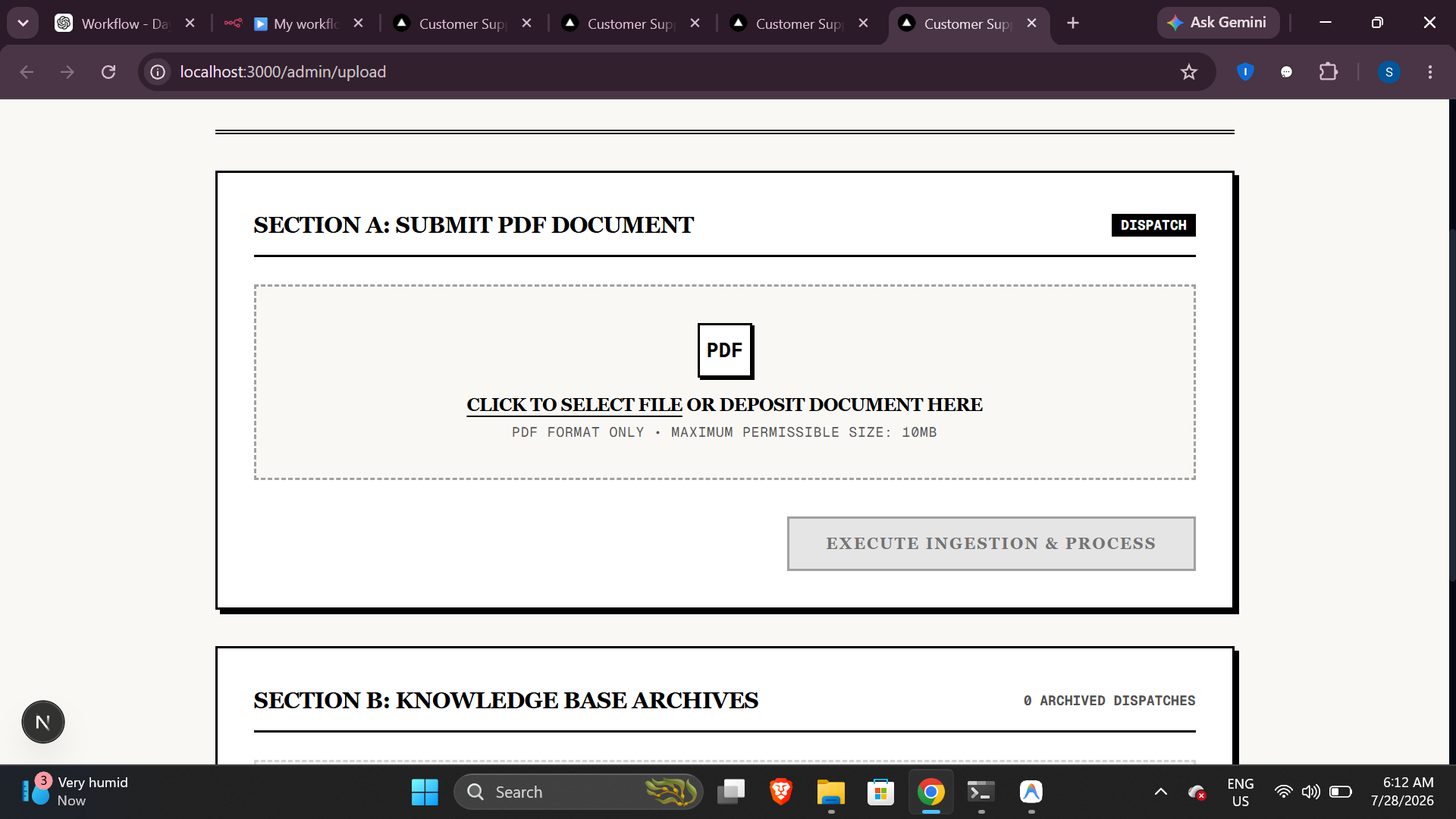
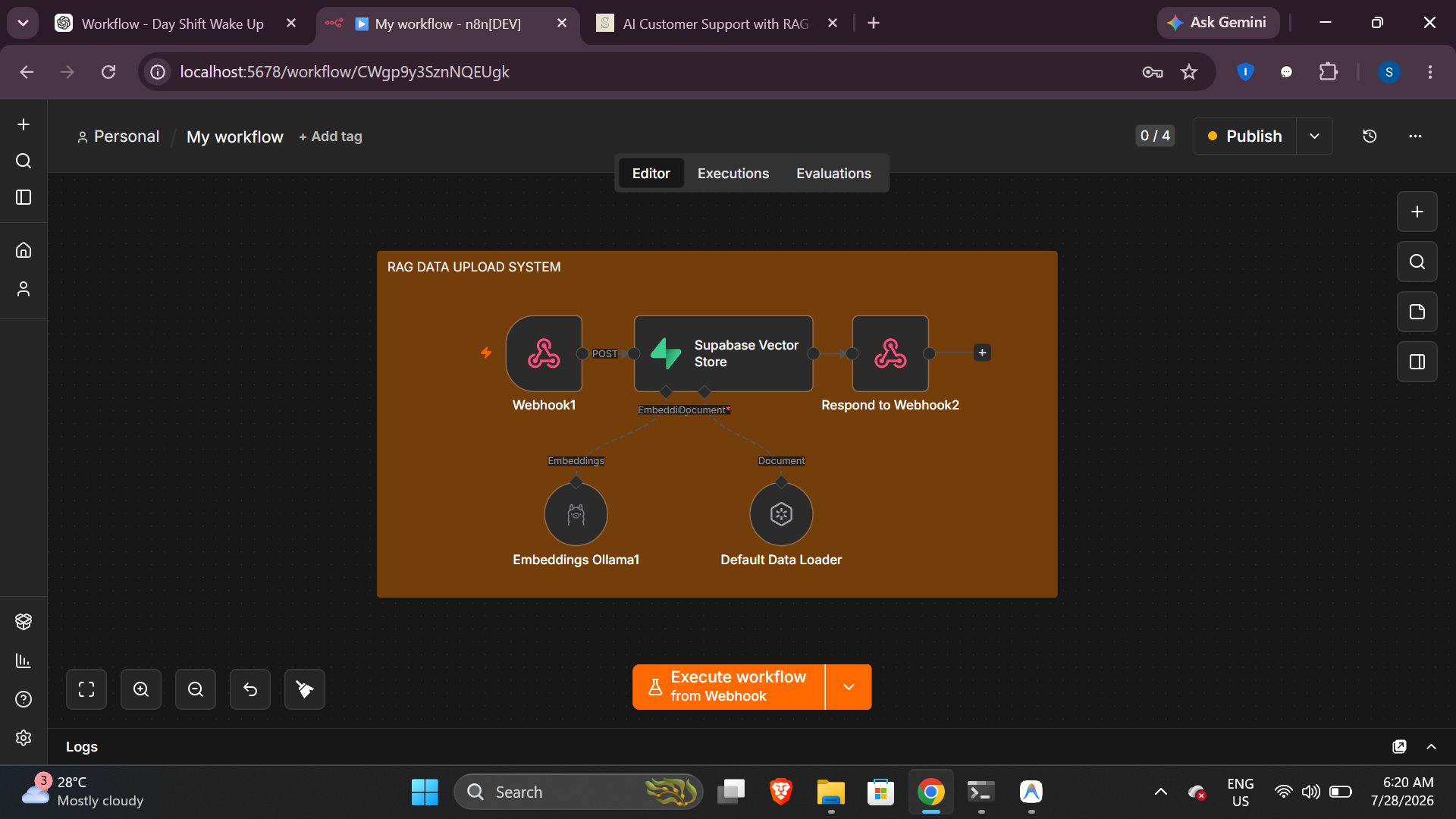
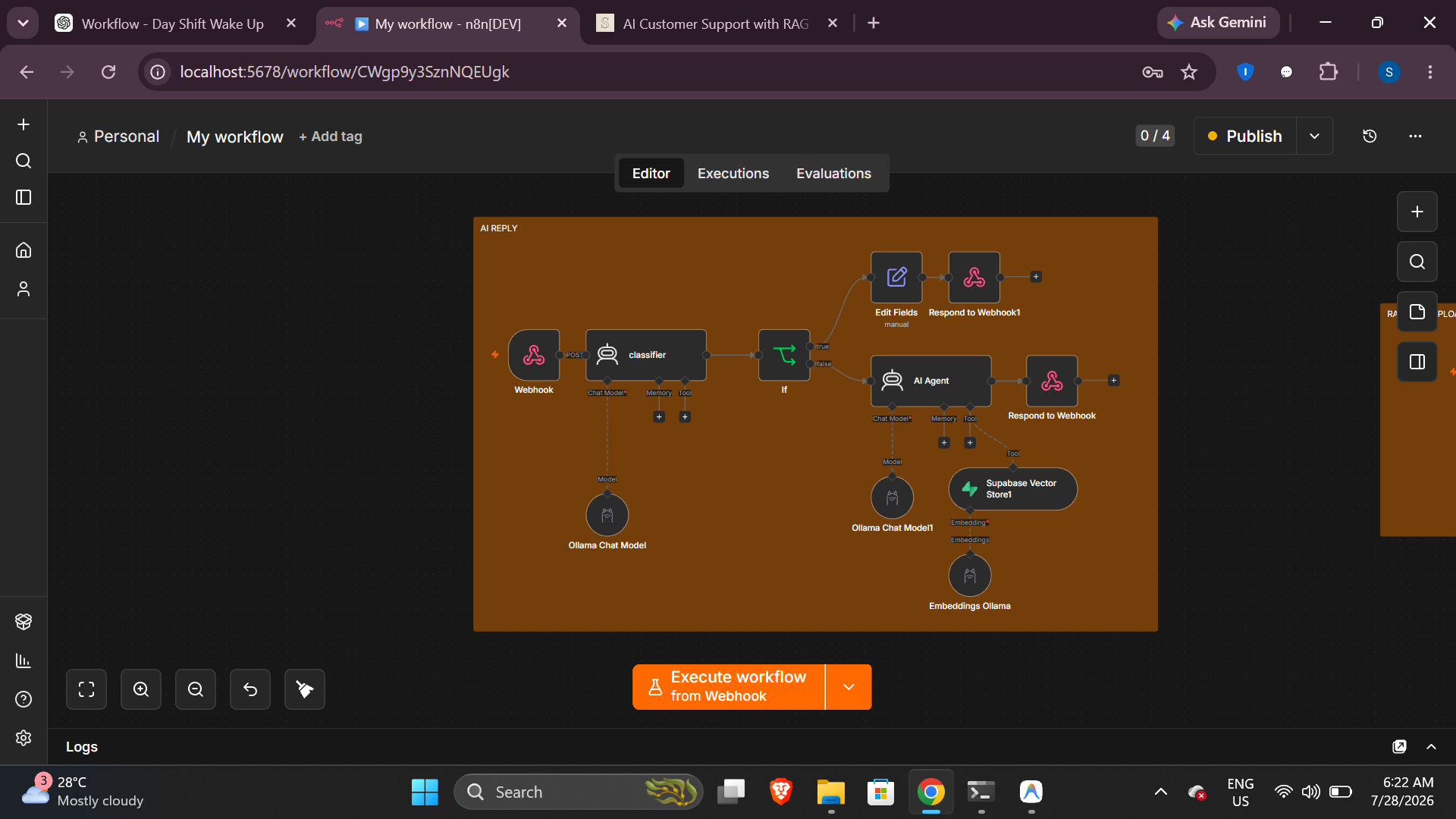
This project automates the complete customer support process using n8n, Ollama, Supabase Vector Database, and Retrieval-Augmented Generation (RAG). When a customer submits a question through the website, chatbot widget, or application, the workflow is automatically triggered via a webhook. An AI classifier first determines whether the message is related to customer support or is an unrelated request. If the query is not support-related, the system immediately returns a predefined response. If it is a valid support request, the message is forwarded to an AI Chatbot Agent for intelligent processing. The AI Chatbot Agent is connected to a semantic search tool powered by a Supabase Vector Database. Instead of relying solely on the language model's internal knowledge, the chatbot searches the company's knowledge base for the most relevant document chunks before generating a response. PDF documents containing product information, shipping policies, return policies, warranty details, FAQs, and troubleshooting guides are automatically converted into embeddings and stored as vectors. During every customer interaction, the system retrieves only the most relevant information, ensuring that responses remain accurate, context-aware, and consistent with the latest company documentation while eliminating hallucinations. To simplify knowledge management, the project includes a dedicated RAG data upload workflow. Whenever administrators upload a new PDF document, the system automatically extracts the text, splits it into meaningful chunks, generates vector embeddings using Ollama, and stores them in the Supabase Vector Database. This allows the AI chatbot assistant to instantly access newly added information without requiring model retraining, providing scalable 24/7 business automation.